Coming with a 5.0″ IPS LCD diplay and and quad core processor, Lenovo A606 seems to be an attractive device to support your daily activity. It has slim body and good finishing. The design is pretty ergonomic so you can hold the device comfortably. The quality of the visuals may not be too impressive since the screen only has 480 x 854 pixels resolution and 196 ppi pixel density. That shouldn’t be a big deal if you don’t use the phone for multimedia purpose. At least you can enjoy wider viewing angles and good visibility. The touchscreen is responsive and the onscreen keyboard is pretty keyboard. It is quite spacious even for large fingers.
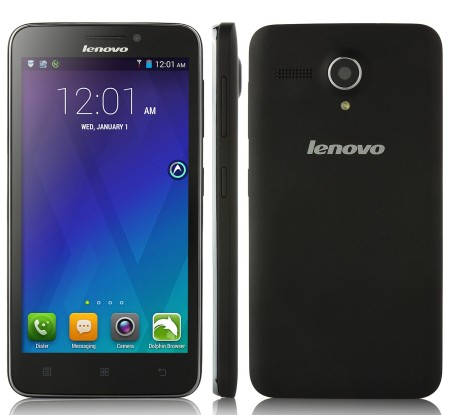 Lenovo A606 is an Android v4.4.2 (KitKat) smartphone with 4G connectivity. It enables faster data connection so you can browse the internet more comfortably. The specs are pretty decent. The A606 incorporates Mediatek MT6582M chipset with a quad-core 1.3 GHz Cortex-A7 processor, Mali-400MP2 GPU and 1 GB of RAM. You won’t have much space to store your files, especially if you like to download audio-video files, since the Lenovo A606 only offers 8 GB built-in memory. Fortunately, it still allows storage expansion via microSD card (up to 32 GB).
Lenovo A606 has two cameras. On the back panel you can find the main 8 MP camera which features autofocus, LED flash, Geo-tagging and video recording capability. The secondary 2 MP camera is embedded on the front panel, above the display. It’s good enough for taking selfies or video calling.
Other features in Lenovo A606:
– Connectivity options: Wi-Fi 802.11 b/g/n, hotspot; Bluetooth v4.0, A2DP; and microUSB v2.0.
– Multitouch support, Accelerometer and Proximity sensor.
– Email, Push Mail, Instant Messaging, HTML browser
– FM radio
– GPS with A-GPS
– MP4/H.264 player and MP3/WAV/eAAC+ player
– Photo editor
– Voice memo/dial
Size: 141.5 x 73.2 x 9.1 mm (5.57 x 2.88 x 0.36 in)
Weight: 170 g (6.00 oz)
Lenovo A606 Factory Reset Instructions
- From the Home screen, select Menu > Settings
- Tap Backup and reset.
- Select Factory Data Reset > Reset phone > Erase everything.
Download Lenovo A606 User Manual PDF