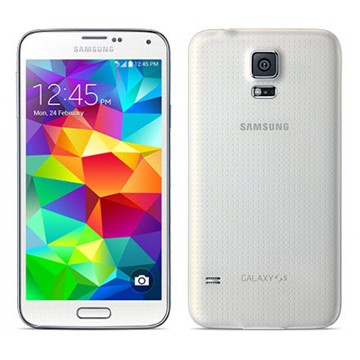
 Samsung Galaxy S5 is a smartphone worth waiting for. It offers a lot of interesting features. The phone doesn’t only look charming, but also has the best protection features like waterproofing and fingerprint sensor. It is claimed that the Galaxy S5 can survive submersion up to 1 meter and 30 minutes. Its 5.1″ Super AMOLED display is definitely one of the best. With a high resolution of 1080 x 1920 pixels (432 ppi pixel density), the screen will give you an incredible visual experience. You can watch HD videos, play high graphics games, or browse the net more comfortably. The touchscreen is quite responsive and fun to use. Corning Gorilla Glass 3 will protect it from scratches. It is also equipped with other features like TouchWiz UI, Accelerometer, Gyroscope, and Proximity sensor.
Android v4.4.2 (KitKat) operating system runs smoothly in this phone. The Galaxy S5 works pretty fast. Apps can be launched promptly and you can switch between menus easily. If you need to do multitasking, the phone will handle it well. A quad-core 2.5 GHz Krait 400 processor is the key for the flawless performance. The processor is backed by Adreno 330 GPU and 2 GB of RAM. To store your files, Samsung Galaxy S5 provides 16/32 GB of internal storage (optional). That’s good enough to accommodate large files like HD videos. The good news is that you can still expand the storage capacity by adding external memory card (up to 128 GB).
The 16 MP rear camera does a great job in taking still pictures and recording HD videos. It is supported by a lot of features including phase detection autofocus, LED flash, 1/2.6” sensor size, 1.12 µm pixel size, Dual Shot, Simultaneous HD video and image recording, geo-tagging, touch focus, face and smile detection, image stabilization, and HDR. If you like to take selfies or make video calls, Samsung Galaxy S5 offers a front-facing 2 MP camera.
Other features in Samsung Galaxy S5:
- Connectivity options: Wi-Fi 802.11 a/b/g/n/ac (dual-band), Wi-Fi Direct, Wi-Fi hotspot; DLNA; Bluetooth v4.0, A2DP, EDR, LE; microUSB v3.0 (MHL 2.1), USB On-the-go, USB Host; NFC; and Infrared port.
- Compass, Barometer, Gesture sensor, Heart rate sensor
- Push Mail, Instant Messaging, Internet browser
- GPS (with A-GPS, GLONASS, Beidou)
- Wireless charging (market dependent)
- ANT+ support
- S-Voice natural language commands and dictation
- Smart stay, Smart pause, Smart scroll
- Dropbox (50 GB cloud storage)
- Active noise cancellation with dedicated mic
- TV-out (via MHL 2.1 A/V link)
- MP4/DivX/XviD/WMV/H.264/H.263 player and MP3/WAV/WMA/eAAC+/FLAC player
- Photo/video editor
- Document viewer (Word, Excel, PowerPoint, PDF)
- Google Search, Maps, Gmail, YouTube, Calendar, Google Talk, Picasa
Dimensions: 142 x 72.5 x 8.1 mm (5.59 x 2.85 x 0.32 in)
Weight: 145 g (5.11 oz)
Performing Factory Data Reset
From this menu you can reset your phone and sound settings to the factory default settings.
- From the main Settings screen, tap Backup and reset.
- Tap Factory data reset. The Factory data reset screen displays reset information.
- Tap Reset device, then follow the prompts to perform the reset
*Warning! Performing a Factory data reset will erase all data from your phone and internal SD card, including your Google account, system and application data and settings, and downloaded applications. It will not erase current system software, bundled applications, and external SD card files such as music and photos
Download Samsung Galaxy S5 User Manual