HP Slate7 Extreme is an attractive 7.0-inch tablet with Android v4.2.2 (Jelly Bean) operating system inside. It is armed with Nvidia Tegra 4 chipset, quad-core 1.8 GHz Cortex-A15 CPU and 1 GB of RAM. The specs look pretty promising. It has more than enough power to do simple tasks. Unfortunately, the Slate 7 Extreme doesn’t support cellular connectivity. It doesn’t provide SIM card slot that enables GSM voice communication or mobile data connection. For the connectivity features, you can find Wi-Fi 802.11 b/g/n; Bluetooth v3.0; and microUSB v2.0. Storage space is quite satisfying since the Slate 7 Extreme has 16 GB built-in memory. You can even expand the storage capacity via memory card slot (use microSD card up to 32 GB).
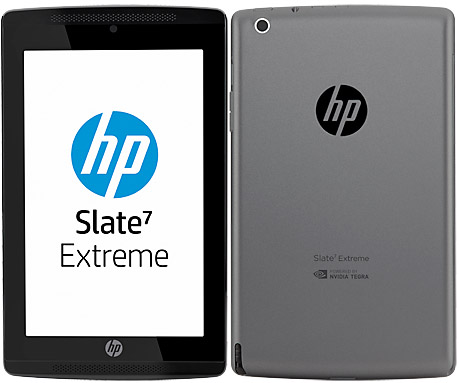
The 7.0″ IPS LCD screen has pretty good quality although it might not be the best in its class. It has 800 x 1280 pixels resolution and 216 ppi pixel density. You can browse images on the web comfortably and read the text clearly. Visibility outdoors is not bad. The IPS LCD screen also enables better viewing angles. Navigating through menus and executing various tasks are easier with the help of its multitouch capacitive touchscreen. Looking at the back of the tablet, you’ll find a modest 5 MP camera which features autofocus, HDR and video recording capability (720p). The photo quality is not bad at all. At least you can play with the camera for your social media. HP Slate 7 Extreme also includes a front-facing VGA camera that can be useful for video calling.
Other features in HP Slate 7 Extreme:
– Compass, Accelerometer and Gyroscope
– Loudspeaker with stereo speakers
– GPS
– Email, Push Email, Instant Messaging
– Box (25 GB lifetime cloud storage)
– HDMI port
– MP4/H.264 player and MP3/WAV/eAAC+ player
– Photo editor
– Video editor
– Document viewer
– Voice memo
Size: 200 x 120 x 9.4 mm (7.87 x 4.72 x 0.37 in)
Weight: 319.8 g (11.25 oz)
How to Perform HP Slate7 Extreme Factory Reset
Before performing factory data reset, it’s better to back up your important files. All data will be erased during the process.
- Go to Settings.
- Find Backup & reset.
- Select Factory data reset and confirm by pressing Reset tablet.
- Erase everything.
Download HP Slate 7 Extreme User Manual PDF