Huawei Honor Bee is a mid-range smartphone running on Android v4.4.2 (KitKat) operating system. It is armed with a quad-core 1.2 GHz Cortex-A7 processor, Mali-400MP2 GPU and 1 GB of RAM. The specs are pretty decent to support simple tasks. Processing speed won’t be monstrous, but it definitely has the capacity to get things done. Multitasking is doable although you may find it a bit laggish in certain occasions. On the storage sector, it offers 8 GB built-in memory. Memory card slot is available if you need to add extra space for your files. You can use microSD card up to 32 GB. The Honor Bee also offers dual SIM card feature. This is a plus point since two different providers can be activated simultaneously, allowing you to use the gadget more efficiently.
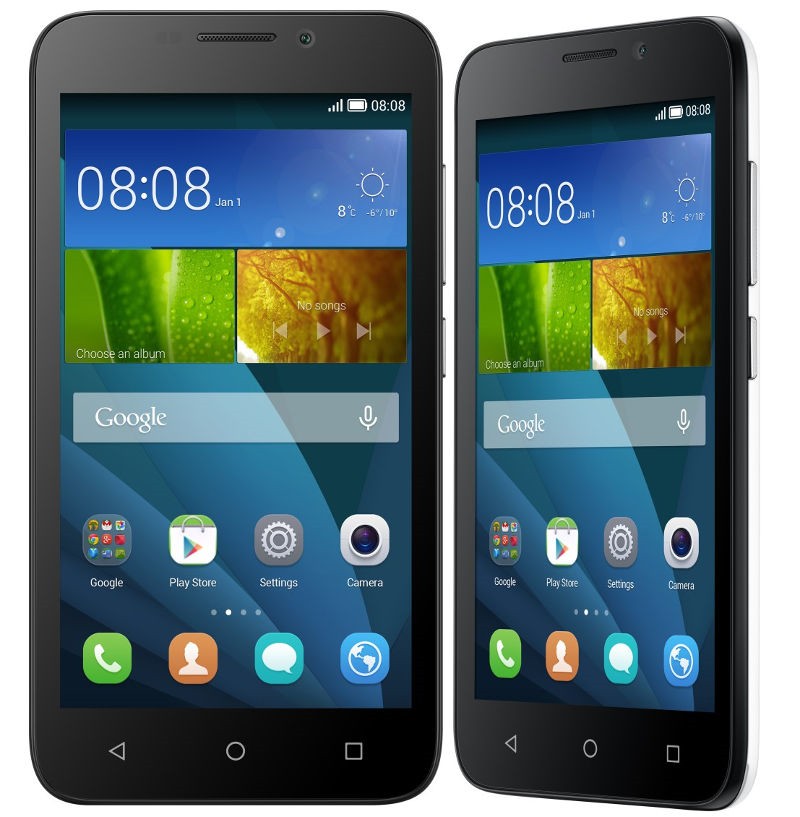 Huawei Honor Bee comes with moderate size and ergonomic design. It sports 4.5″ capacitive touchscreen on the front panel with slightly curved corners. The size enables you to use the phone in one hand. The responsive multitouch touchscreen will make navigation easier. The onscreen keyboard is still accessible for large fingers. Above the screen, you can find a secondary 2 MP camera. It’s a basic camera for both video calling and taking selfies. For the main camera, the Honor Bee has an 8 MP camera on the rear side of its body. It is equipped with autofocus, dual-LED flash, Geo-tagging, touch focus, face detection, panorama and video recording capability (1080p@30fps). This is a fairly good camera to capture beautiful moments or objects. It will feed your Instagram with nice pictures.
Other features in Huawei Honor Bee:
– Emotion Lite 3.0 UI, Accelerometer and Proximity sensor
– Connectivity options: Wi-Fi 802.11 b/g/n, Wi-Fi Direct, hotspot; Bluetooth v4.0, A2DP, LE; and microUSB v2.0.
– GPS with A-GPS
– FM radio
– Email, Push Email, Instant Messaging, HTML browser
– MP3/WAV/eAAC+/Flac player and DivX/XviD/MP4/H.264 player
– Photo editor and Video editor
– Document viewer
Size: 134.3 x 66.7 x 10 mm (5.29 x 2.63 x 0.39 in)
Weight: –
How to Hard Reset Huawei Honor Bee
- Go to Menu > choose Settings.
- Tap Backup & Settings.
- Select Factory data reset.
- Tap Reset phone > Erase everything.
Download Huawei Honor Bee User Manual PDF