Samsung Galaxy J1 4G is an Android v4.4.4 (KitKat) smartphone with lower-midrange specs. It is armed with a quad-core 1.2 GHz processor and 768 MB of RAM. You might think it’s better with 1 GB of RAM instead, but it seems capable enough to do simple tasks. Although it doesn’t offer monstrous processing speed, it surely has the capacity to get things done. The 4G LTE connectivity allows you to enjoy faster speed when working online. It’s a good feature to help you boost productivity. Its dual SIM version also offers flexibility and makes it more budget-friendly. The Galaxy J1 4G has quite limited space to store your files since it’s only equipped with 4 GB built-in memory. There is no other choice to expand the storage capacity but to add microSD card (support up to 128 GB).
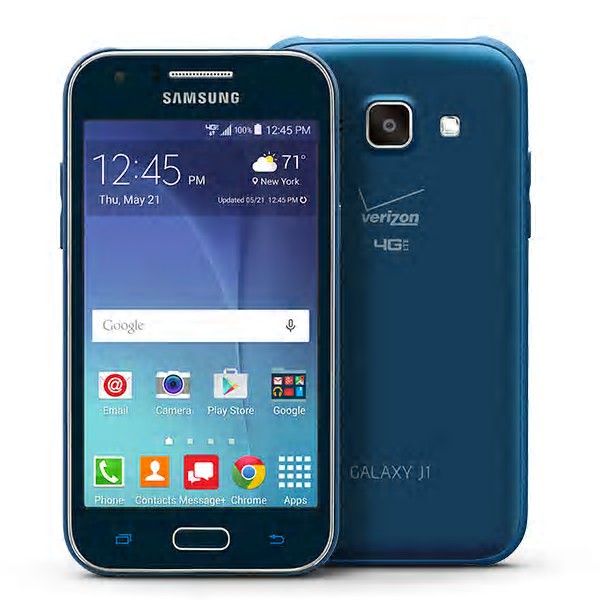 Samsung Galaxy J1 4G has a nice design with fairly slim body. The rounded corners make it feels more ergonomic. The size is moderate so you can operate it comfortably with one hand. It’s also more practical to carry. Its 4.3″ capacitive touchscreen has 480 x 800 pixels resolution and 217 ppi pixel density. It has good sensitivity and enables smooth navigation. Multitouch feature is already there. Typing comfort shouldn’t be an issue since the virtual keyboard has fairly good space and accuracy.
The Galaxy J1 4G is equipped with modest cameras. On the rear panel, you can find the main 5 MP camera. It is equipped with autofocus, LED flash, Geo-tagging, touch focus, face detection and video recording capability (720p@30fps). The quality of the captured images is not really special, but should be good enough for your Instagram or other social media. The secondary 2 MP camera is embedded above the display. If you like to express yourself in selfies, the camera should do well for you. It also supports video calling.
Other features available in Samsung Galaxy J1 4G:
– Connectivity options: Wi-Fi 802.11 b/g/n, Wi-Fi Direct, hotspot; Bluetooth v4.0, A2DP; NFC; and microUSB v2.0
– GPS with A-GPS, GLONASS
– FM radio with RDS; recording
– Accelerometer and Proximity sensor
– Email, Push Mail, Instant Messaging, HTML browser
– MP4/H.264 player and MP3/WAV/eAAC+/Flac player
– Photo/video editor
– Document viewer
Size: 129 x 68.2 x 8.9 mm (5.08 x 2.69 x 0.35 in)
Weight: 122 g (4.30 oz)
How to Hard Reset Samsung Galaxy J1 4G
- On the Apps screen, tap Settings.
- Select Backup and reset.
- Tap Factory data reset.
- Select Reset device and then tap Erase everything. The device automatically restarts.
Download Samsung Galaxy J1 4G User Manual PDF