Samsung Galaxy A7 is a very attractive smartphone with a lot of interesting things to offer. It has premium design with a huge 5.5″ Super AMOLED display dominating the front panel (72.5% screen-to-body ratio). The display has amazing quality. It comes with 1080 x 1920 pixels resolution and 401 ppi pixel density. Images look crisp and has good details. You can enjoy lively colors too. Large screen and great visuals would be a perfect combination for a great viewing experience. Operating the phone is much easier with the help of a responsive touchscreen. The spacious onscreen keyboard allows you to type comfortably even if you have large fingers. You don’t have to add screen protector since the Galaxy A7 is already equipped with Corning Gorilla Glass 4.
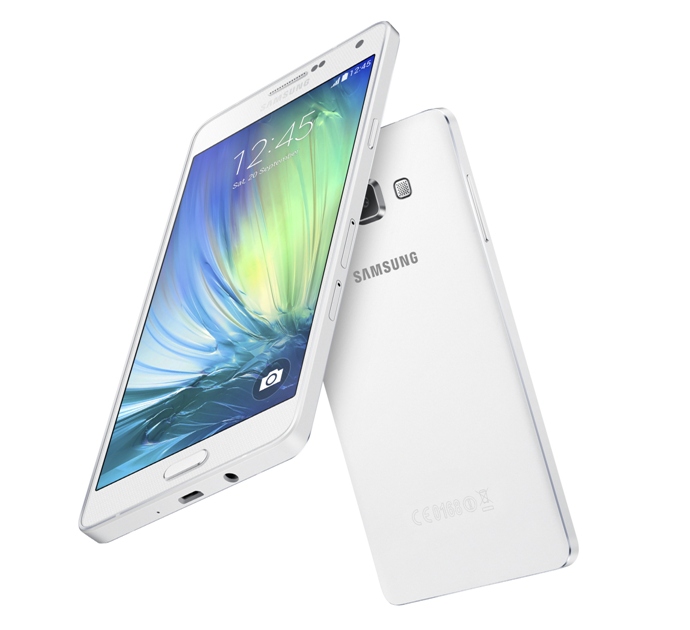 Samsung Galaxy A7 is an Android v4.4.4 (KitKat) smartphone with 4G LTE support. The operating system can be upgraded to v5.0.2 (Lollipop). For the hardware, it packs 1.8GHz quad-core and 1.3GHz quad-core processors. It also incorporates Mali-T628 MP6 – A700F GPU and 2 GB of RAM. With such specs, you can expect superb performance from the phone. The 4G LTE enables faster data connection so it will better support your online activity. In general, Galaxy A7 is a perfect device to help you boost productivity. If you’re a gamer, the phone handles high-graphics games pretty well too. To support its performance, it uses a non-removable Li-Ion 2600 mAh battery. For the storage, Samsung Galaxy A7 has 16 GB built-in memory along with memory card slot for storage expansion. You can add microSD card up to 64 GB.
The camera department won’t disappoint you. The Galaxy A7 offers 13 MP rear camera which features autofocus, LED flash, Geo-tagging, touch focus, face detection, panorama, HDR and video recording capability (1080p@30fps). The secondary 5 MP front-facing camera makes it a good selfie phone.
Other features in Samsung Galaxy A7:
– Connectivity option: Wi-Fi 802.11 a/b/g/n (dual-band), WiFi Direct, hotspot; Bluetooth v4.0, A2DP, EDR, LE; NFC; and microUSB v2.0
– GPS with A-GPS, GLONASS/ Beidou (market dependant)
– FM radio with RDS; recording
– Accelerometer, proximity, compass
– Email, Push Mail, Instant Messaging, HTML5
– ANT+ support
– Active noise cancellation with dedicated mic
– MP4/WMV/H.264 player
– MP3/WAV/WMA/eAAC+/FLAC player
– Photo and video editor
– Document viewer
Dimensions: 151 x 76.2 x 6.3 mm (5.94 x 3.00 x 0.25 in)
Weight: 141 g (4.97 oz)
How to Hard Reset Samsung Galaxy A7
Before performing a factory data reset or hard reset, ensure you back up all important data stored on the device.
- On the Apps screen, tap Settings.
- Tap Backup and reset.
- Select Factory data reset.
- Choose Reset device.
- Tap Erase everything. The device automatically restarts.
Download Samsung Galaxy A7 User Manual