Toshiba Excite Pure is a tablet with 10.1″ LED-backlit IPS LCD display. It is a tablet with no GSM support, so you can make a phone call with it. It doesn’t equipped with SIM card slot too, but you can still enjoy internet connection via Wi-Fi. The 10.1″ display has a resolution of 1280 x 800 pixels (149 ppi pixel density), which is too low for its size. The visuals may not look as crisp as those in higher resolution screen, but it’s not bad for daily use. The touchscreen is quite responsive and it supports Multitouch (up to 10 fingers). You can swipe easily through menus and type comfortably on its onscreen keyboard. Accelerometer and Gyroscope are included.
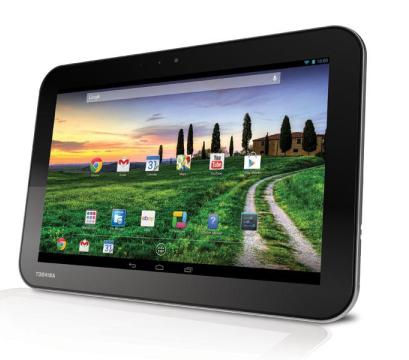 The Excite Pure is installed with Android v4.2.1 (Jelly Bean) operating system, but it can be upgraded to v4.3 (Jelly Bean). For the performance, it relies on a quad-core processor and 1 GB of RAM. The tablet works pretty well in handling various tasks. Creating documents, browsing the internet and even gaming can be carried out without any serious problem. Apps also load quickly and you can switch menus smoothly. To store your files, the Excite Pure provides 16 GB of internal storage. Storage expansion is allowed by using external memory card (up to 32 GB). For the connectivity, you can find standard features like Wi-Fi 802.11 b/g/n; Bluetooth v4.0, A2DP; and microUSB v2.0.
The camera department is disappointing since it only has a 1.2 MP camera on the back panel. There is no front-facing camera in this tablet. Other included features: Loudspeaker with stereo speakers, 3.5mm jack, GPS, Compass, Email, Push Mail, Instant Messaging, HTML5 browser, HDMI port, MP3/WAV/WMA/eAAC+ player, MP4/H.264/WMV player, Document viewer, Photo editor, Voice memo and more.
Size: 261.6 x 177.8 x 10.2 mm (10.30 x 7.00 x 0.40 in)
Weight: 598.7 g (1.32 lb)
How to Hard Reset Toshiba Excite Pure
Hard reset procedures will erase all data on your device so make sure you have a backup
- Go to Settings menu.
2. Tap Backup & reset > Factory data reset > Reset tablet.
5. Select Erase everything to start factory data reset.
Download Toshiba Excite Pure User Manual PDF