LG L50 is a budget phone dedicated for entry-level of users. It runs on Android v4.4.2 (KitKat) operating system and has decent specs for daily purpose. Mediatek MT6572 chipset is coupled with Dual-core 1.3 GHz Cortex-A7 processor. It is also backed by Mali-400 GPU and 512 MB of RAM. The L50 doesn’t offer monstrous speed but it seems pretty reliable to handle simple multitasking. Emailing, texting, playing games, editing documents or internet browsing shouldn’t be a problem. It’s pretty responsive althoug you may find minor lags. An extra microSD must be added to accommodate your files since the LG L50 only has 4 GB built-in memory. Li-Ion 1900 mAh battery will provide the power needed by the phone.
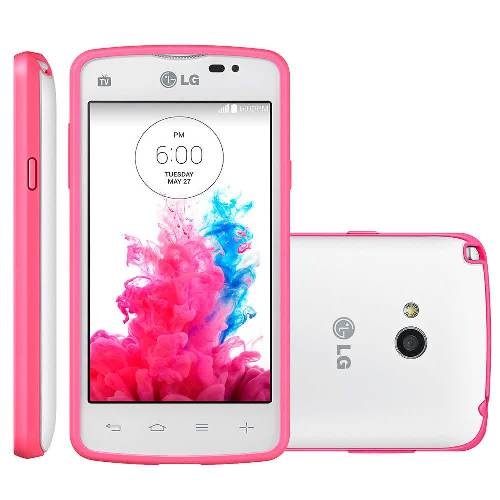 LG L50’s nice look and bright colors may attract more fans from youngsters. It has a pretty standard 4.0″ display with 480 x 800 pixels resolution and 233 ppi pixel density. Not an impressive display but it still allows you to read text and watch videos comfortably. You can count on its multitouch capacitive touchscreen to navigate through menus. The phone has good finishing and is fairly ergonomic. You can operate it with one hand easily and it can fit your pocket perfectly. Above the display, you can find a VGA camera that can be useful for video calling. The main 3.15 MP camera is embedded on the rear panel. It features LED flash, Geo-tagging, panorama and video recording capability (480p).
Other features in LG L50:
– Connectivity options: Wi-Fi 802.11 b/g/n, Wi-Fi Direct, hotspot; Bluetooth v4.0, A2DP; NFC; and microUSB v2.0.
– GPS with A-GPS & GLONASS
– FM radio with recording
– Compass, Accelerometer and Proximity sensor
– Email, Instant Messaging, HTML browser
– MP4/H.264 player and MP3/eAAC+/WAV player
– Photo viewer/editor
– Document viewer
– Voice memo/dial
Size: 124.5 x 65.4 x 12.2 mm (4.90 x 2.57 x 0.48 in)
Weight: 142 g (5.01 oz)
How to Perform LG L50 Master Reset
- Turn the phone off.
- Press and hold the Power/Lock Key + Volume Down Key.
- Release the Power/Lock Key when the LG logo is displayed.
- Press the Power/Lock Key again within 3 seconds.
- When the Factory data reset screen appear, release all keys.
- Press the Power/Lock Key two more times displayed on the screen in this state, Factory Reset is performed.
- If you press the Volume Up Key or Volume Down Key, Factory Reset is not performed and boots Normally.
Download LG L50 User Manual PDF