The brand might sound unfamiliar for most people, but as an affordable high-end smartphone, OnePlus One has put a serious challenge for major manufacturers. It doesn’t only offer amazing specs, but also attractive design. The One looks elegant with slim body and a huge 5.5” LTPS LCD capacitive touchscreen that dominates the front panel. The screen has a high resolution of 1080 x 1920 pixels (401 ppi pixel density), which means that you’ll be able to enjoy best quality photos and videos at their best. The touchscreen is quite responsive and supports multitouch (up to 10 fingers). Corning Gorilla Glass 3 will protect the screen from scratches and further damages. It also includes CyanogenMod 11S, Accelerometer, Gyroscope and Proximity sensor.
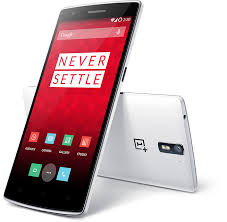 OnePlus One is armed with a powerful 2.5 GHz Snapdragon processor, Adreno 330 GPU and 3GB of RAM. With those weapons inside, it offers nothing but a superb performance. Android v4.4.2 (KitKat) operating system runs so smooth and apps can load quickly. You can watch HD movies, play HD games and browse interactive websites comfortably. Multitasking is not a problem at all. The One also supports 4G LTE network, which enables faster data connection.
The phone provides 16/64 GB of internal storage (optional) to accommodate your files. That’s spacious enough to store large files. Unfortunately, it doesn’t include memory card slot that can be used to expand the storage capacity. The main 13 MP camera is embedded on the back of the phone. It features autofocus, dual-LED flash, Geo-tagging, touch focus, face detection, panorama, HDR and HD video recording capability. On the front panel, you can find a secondary 5 MP camera.
OnePlus One also offers other features, such as:
- Connectivity options: Wi-Fi 802.11 a/b/g/n/ac, Wi-Fi Direct, Wi-Fi hotspot; DLNA; Bluetooth v4.1, A2DP; microUSB v2.0, USB On-the-go, USB Host; and NFC.
- Compass, Instant Messaging, Push Email, HTML5
- GPS with A-GPS, GLONASS
- Active noise cancellation with dedicated mic
- MP4/H.263/H.264/WMV player and MP3/eAAC+/WMA/WAV/FLAC player
- Dual mono speakers
- Document viewer
- Photo viewer/editor
- Voice memo/dial/commands
- Predictive text input
Dimensions: 152.9 x 75.9 x 8.9 mm (6.02 x 2.99 x 0.35 in)
Weight: 162 g (5.71 oz)
OnePlus One factory reset procedures
- Back up all your important files and information, as the process may erase all data.
- Shut down the phone, and turn it back on while holding the Volume Down button until you feel it vibrate.
- Once in Simple Recovery, select “wipe cache partition” and swipe to the right or press the power button to select it. Continue once you get the “Cache wipe complete” message.
- Select “wipe data / factory reset” and confirm to fully reinitialize your ROM.
- Optional: select “wipe media” to clear all directories that may contain your photos, messages, music and other personal files.
Download OnePlus One User Manual